Broadcasts
Send a campaign to an entire list of users at once
Broadcasts are not available in the open-source edition.
Broadcasts let you send a campaign to every user in a list at once. Instead of sending messages one at a time, a broadcast delivers your campaign to an entire audience automatically.
Common use cases:
- Product announcements to all active users
- Promotional emails to a segmented audience list
- Scheduled newsletters delivered at a specific date and time
- Re-engagement campaigns targeting inactive users
How Broadcasts Work
To create a broadcast, you need two things:
- Campaign: the message you want to send (email, SMS, or push). The campaign must have a provider configured.
- List: the audience you want to reach. This can be a dynamic list based on rules or a static list you have curated manually.
When a broadcast is triggered, Lunogram:
- Collects all users currently in the list
- Splits them into batches
- Sends the campaign to each user
- Tracks delivery progress for every recipient
You can follow along in real time from the management UI.
Broadcast Lifecycle
Every broadcast goes through a series of states:
| State | Description |
|---|---|
pending | Created but not yet sent. Waiting for you to trigger it. |
scheduled | Set to send at a future date and time. |
sending | Currently delivering messages to recipients. |
completed | All messages have been delivered. |
failed | Something went wrong during delivery. |
cancelled | Cancelled before sending started. |
You can only cancel a broadcast while it is pending or scheduled. Once sending begins, the broadcast will run to completion.
Creating a Broadcast
To create a broadcast, select a campaign and a list. You can either send it right away or schedule it for a specific date and time.
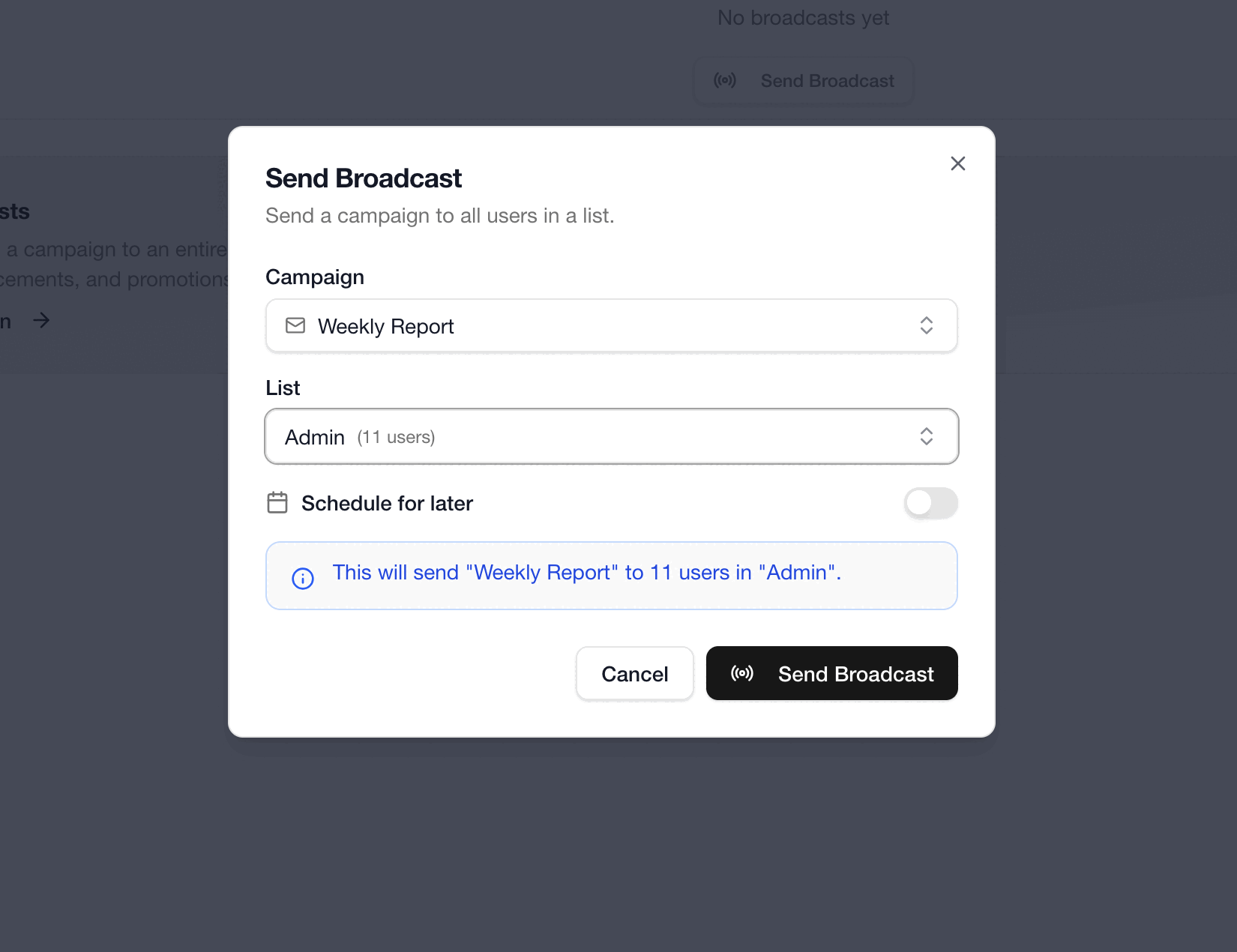
- Send manually: the broadcast is created in the
pendingstate. You decide when to trigger it. - Schedule for later: provide a date and time, and Lunogram will send it automatically when that moment arrives.
Sending a Broadcast
If your broadcast is pending, you can trigger it at any time from the management UI or the API. Once triggered, Lunogram begins delivering messages to all recipients in the list.
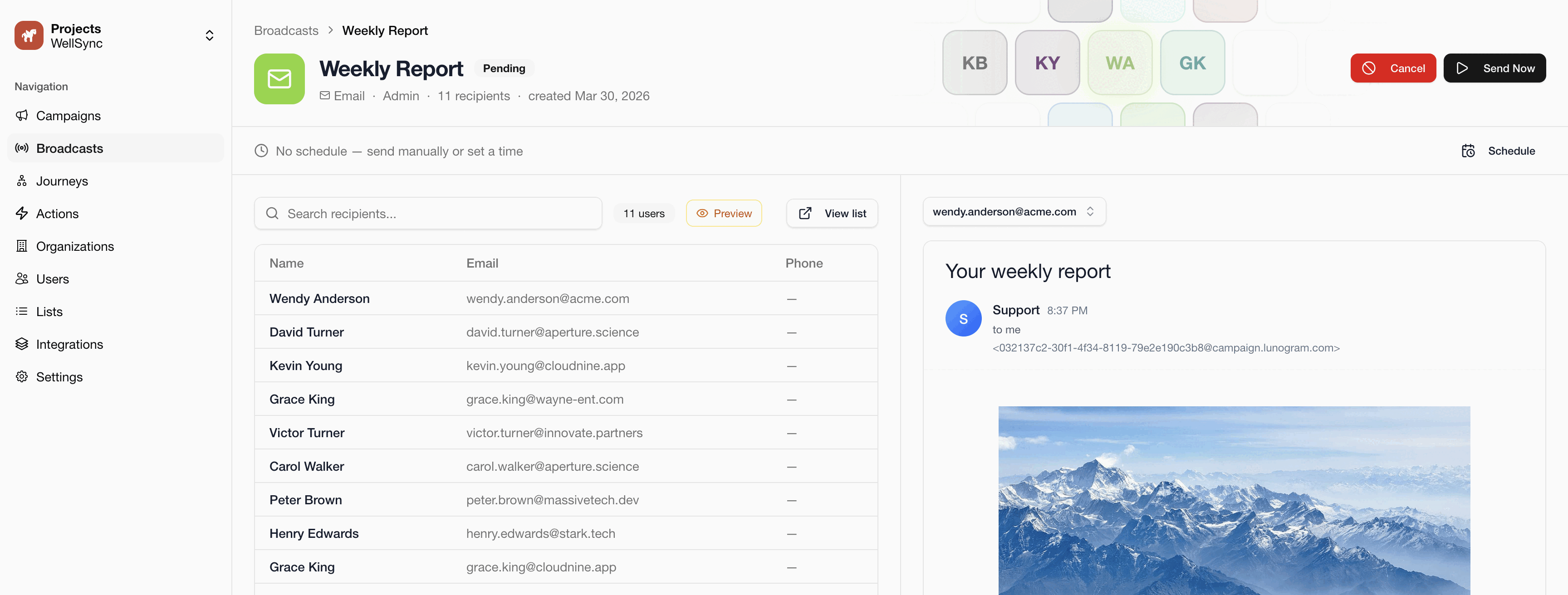
Scheduled broadcasts are sent automatically at the configured time.
Updating a Broadcast
You can change the scheduled time of a broadcast as long as it has not started sending yet.
Updates are only allowed while the broadcast is pending or scheduled.
Cancelling a Broadcast
You can cancel a broadcast to prevent it from being sent. This is only possible while the broadcast is still pending or scheduled.
Tracking Progress
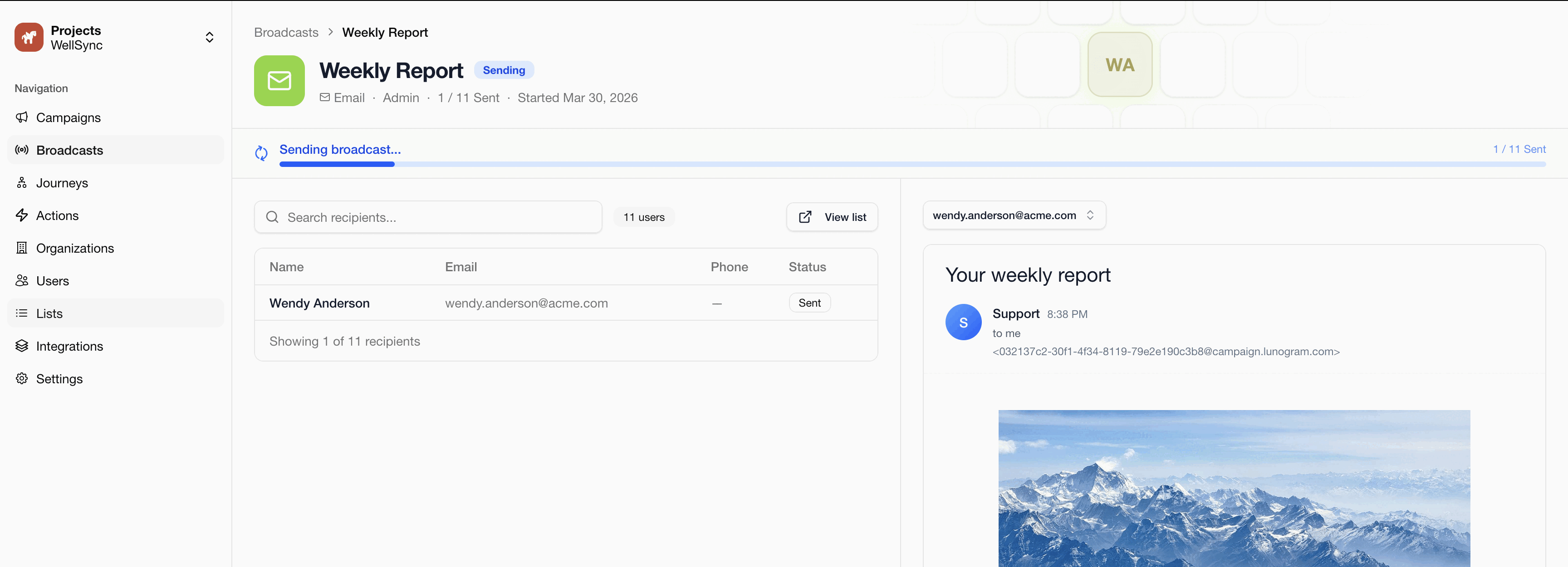
While a broadcast is sending, you can monitor its progress in real time from the management UI. Lunogram tracks how many messages have been delivered and updates the status as the broadcast progresses. Once all messages are sent, the broadcast moves to completed.
Scheduled Broadcasts
When you schedule a broadcast for a future date and time, Lunogram will automatically trigger it when that moment arrives. Scheduled broadcasts are processed reliably, even when running across multiple servers.
The scheduled time must be in the future. Lunogram validates this whenever you create or update a broadcast.
API Reference
For the full list of broadcast endpoints, request parameters, and response schemas, see the interactive API documentation.