JourneysExamples
Exit Criteria
Remove users from a journey when they complete an action
Use exit entrances to remove users from a journey flow when they meet certain criteria, instead of adding a gate before every step.
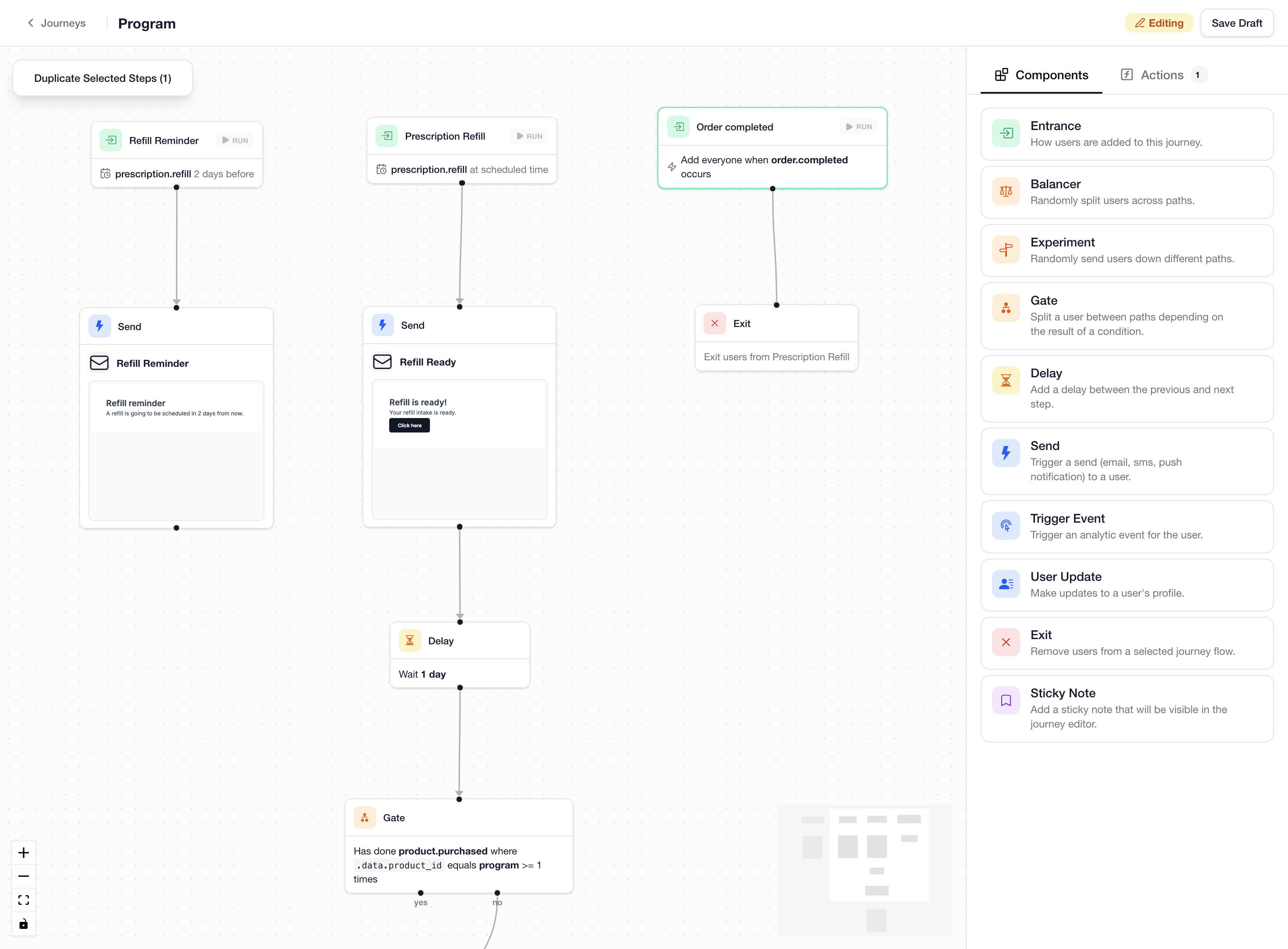
This example shows a prescription refill program where users receive reminders on a schedule, and are exited from the flow once they complete their order.
Steps
The journey uses three entrances:
-
Refill Reminder entrance:
- Schedule-based, listening for the
prescription.refillschedule with a "2 days before" offset - Connects to a
Sendstep that sends a reminder email letting the user know a refill is coming up
- Schedule-based, listening for the
-
Prescription Refill entrance:
- Schedule-based, listening for the
prescription.refillschedule at the scheduled time - Connects to a
Sendstep with the "Refill Ready" email - Followed by a
Delayof 1 day, then aGatethat checks whether the user has completed aproduct.purchasedevent - The gate branches into further steps based on whether the purchase was made
- Schedule-based, listening for the
-
Order Completed entrance:
- Event-based, triggers when
order.completedoccurs - Connects to an
Exitstep that removes the user from the Prescription Refill flow
- Event-based, triggers when
This way, if a user completes their order at any point, they are removed from the refill flow and stop receiving follow-up messages. You can add as many exit entrances as needed by creating additional entrances with different criteria.