JourneysExamples
Weekly Summary
Send users a weekly usage report using schedules
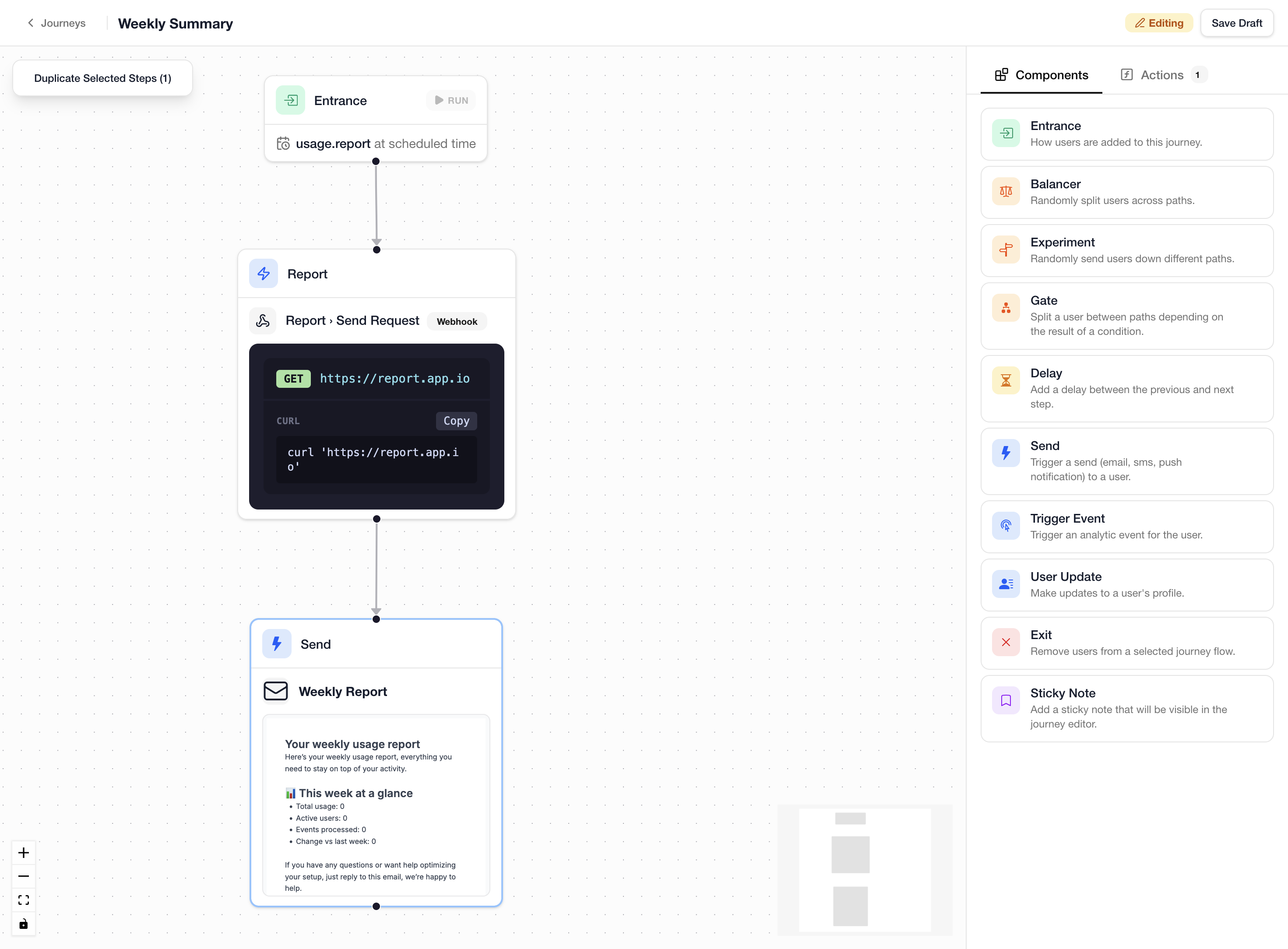
Send your users a weekly usage report by combining schedules with a journey. A schedule emits events at a defined interval for each user, and the journey reacts to those events to fetch data and send the report.
Setting Up the Schedule
Use the JS SDK to create a recurring weekly schedule for a user. The schedule name becomes part of the event that the journey will listen for.
await lunogram.user.schedule.upsert({
  identifier: [{ externalId: "user-123" }],
  name: "usage.report",
  scheduledAt: "2026-04-07T09:00:00Z",
  interval: "7 days",
});
This creates a recurring schedule that fires every 7 days starting from the given date. Each time it fires, the platform emits a scheduled.usage.report event for that user. See Schedules for more details on intervals and offsets.
Building the Journey
- Create an
Entrancestep:- Schedule-based, listening for the
usage.reportschedule - This will trigger the journey each time the schedule fires for a user
- Schedule-based, listening for the
- Add an
Actionstep to fetch the user's usage data:- Select a Webhook action configured to call your reporting API
- Set a data key (e.g.
report) to expose the response to later steps
- Add a
Sendstep with an Email campaign:- Include the fetched data in the template, for example
{{ journey.report.body.total_usage }}
- Include the fetched data in the template, for example